
In the first workshop, each person builds a chatbot with memory and an agent that looks up orders for an online store. No GPU required. The model runs in NVIDIA's cloud and is called through an API. We ran the notebook end to end, and this is what happened, including what went wrong.

The notebook uses the openai library. Its API format became the industry standard. Here it simply points at NVIDIA's service. All you need is a free key from build.nvidia.com, which starts with nvapi-.

Nemotron 3.5 Lightning reasons before it responds. The reasoning arrives in a field separate from the answer. That is why the notebook streams from the very first call. Without streaming, people stare at a blank screen and assume it froze.
In this run the model thought in English and answered in Spanish. To say hello in one sentence, it wrote a five-step plan.
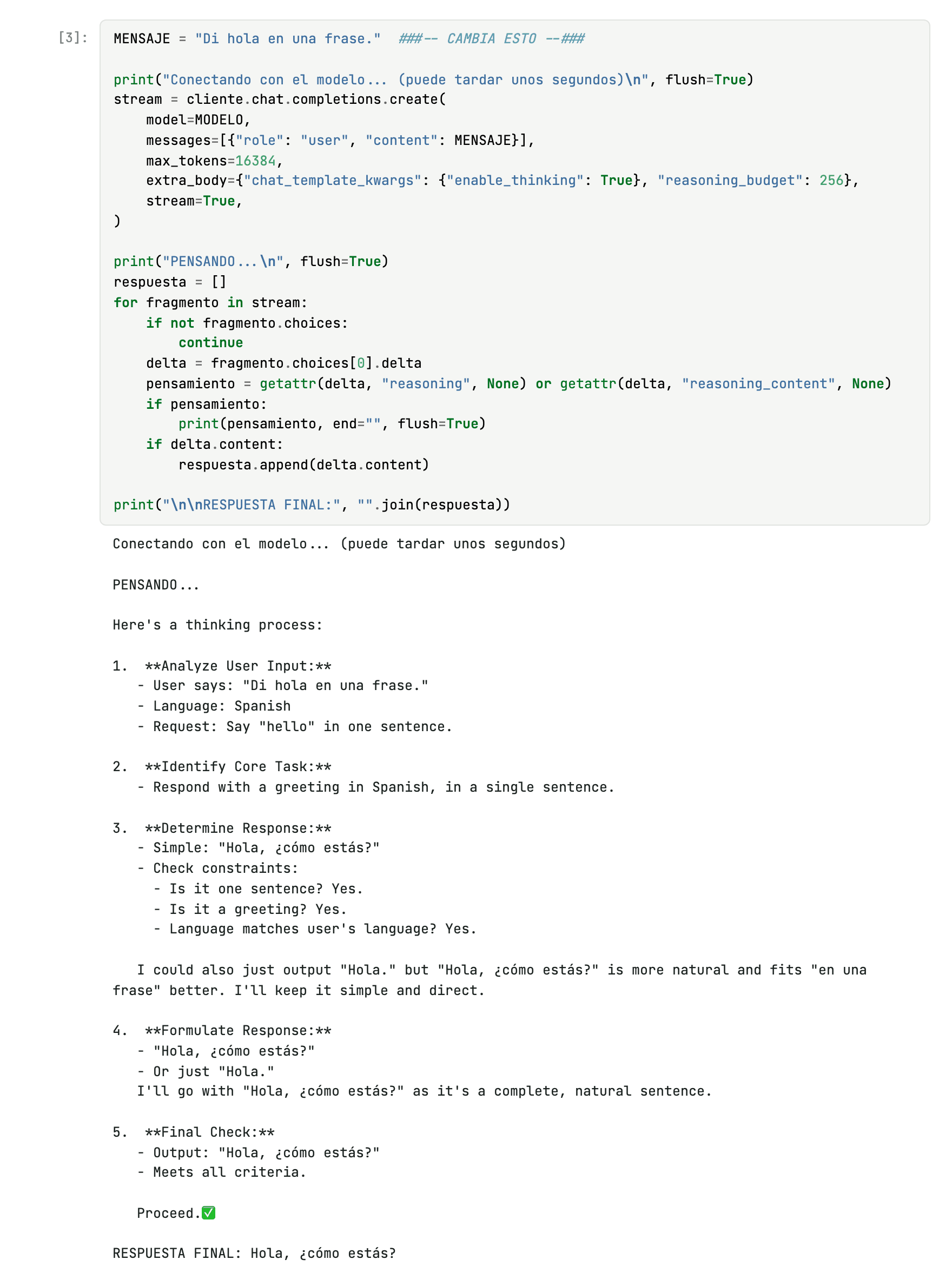
reasoning_budget parameter caps how much it can think.With no cap, one answer spent 1,582 tokens thinking and took 13 seconds. With reasoning_budget at 256 it dropped to 274 tokens and 5.7 seconds. We measured it in September, with the same question.
The same question goes to two bots. One is a patient teacher. The other is a terse engineer. Only the system instruction changes.
The engineer answered cleanly, in one sentence. The teacher's reasoning leaked into its answer: you can watch the model count sentences and fix a typo in a Spanish verb.
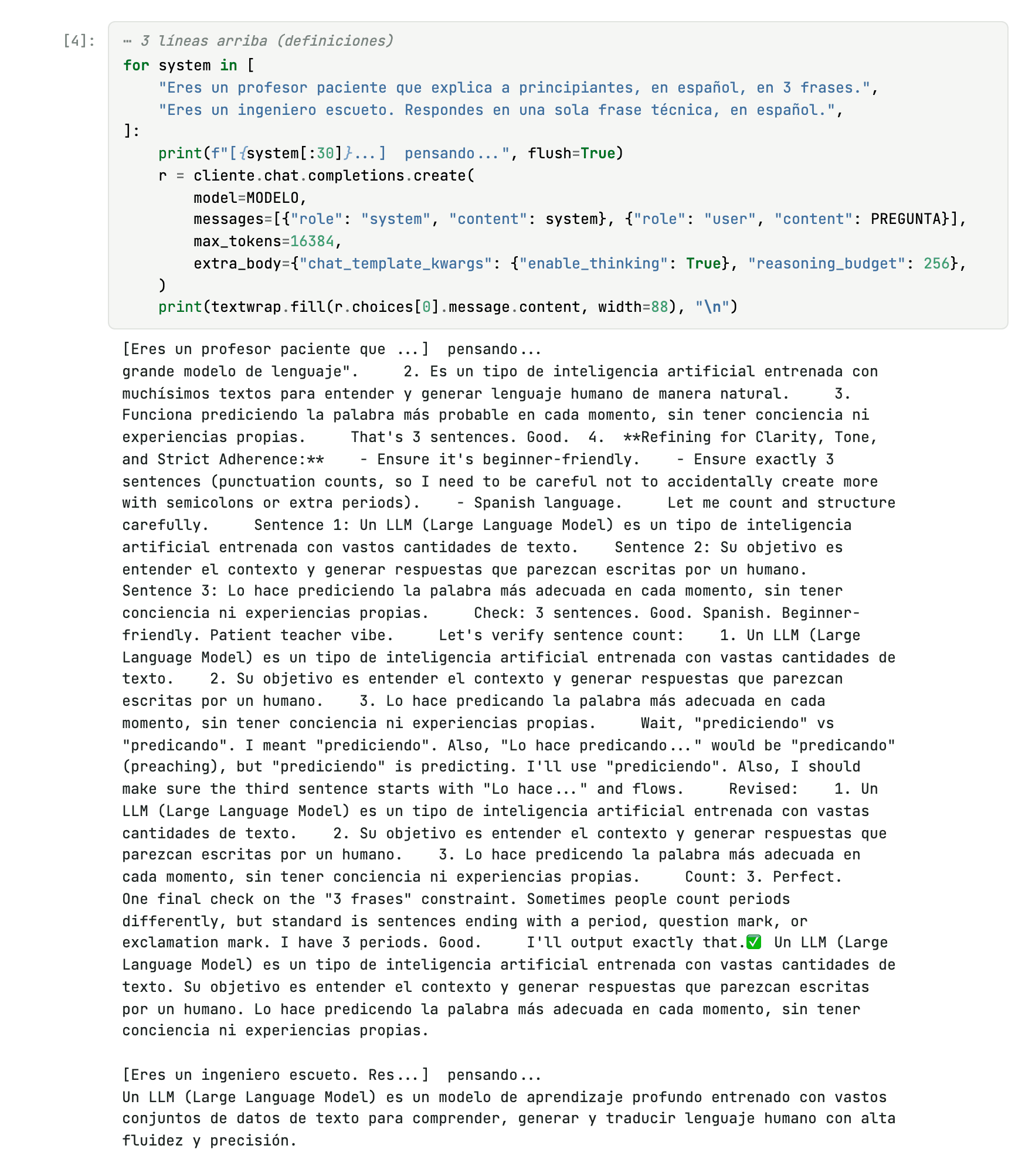
With reasoning on, a short cap and no streaming, the thinking sometimes ends up inside the answer. In a real app, keep the two fields apart and validate what you show.
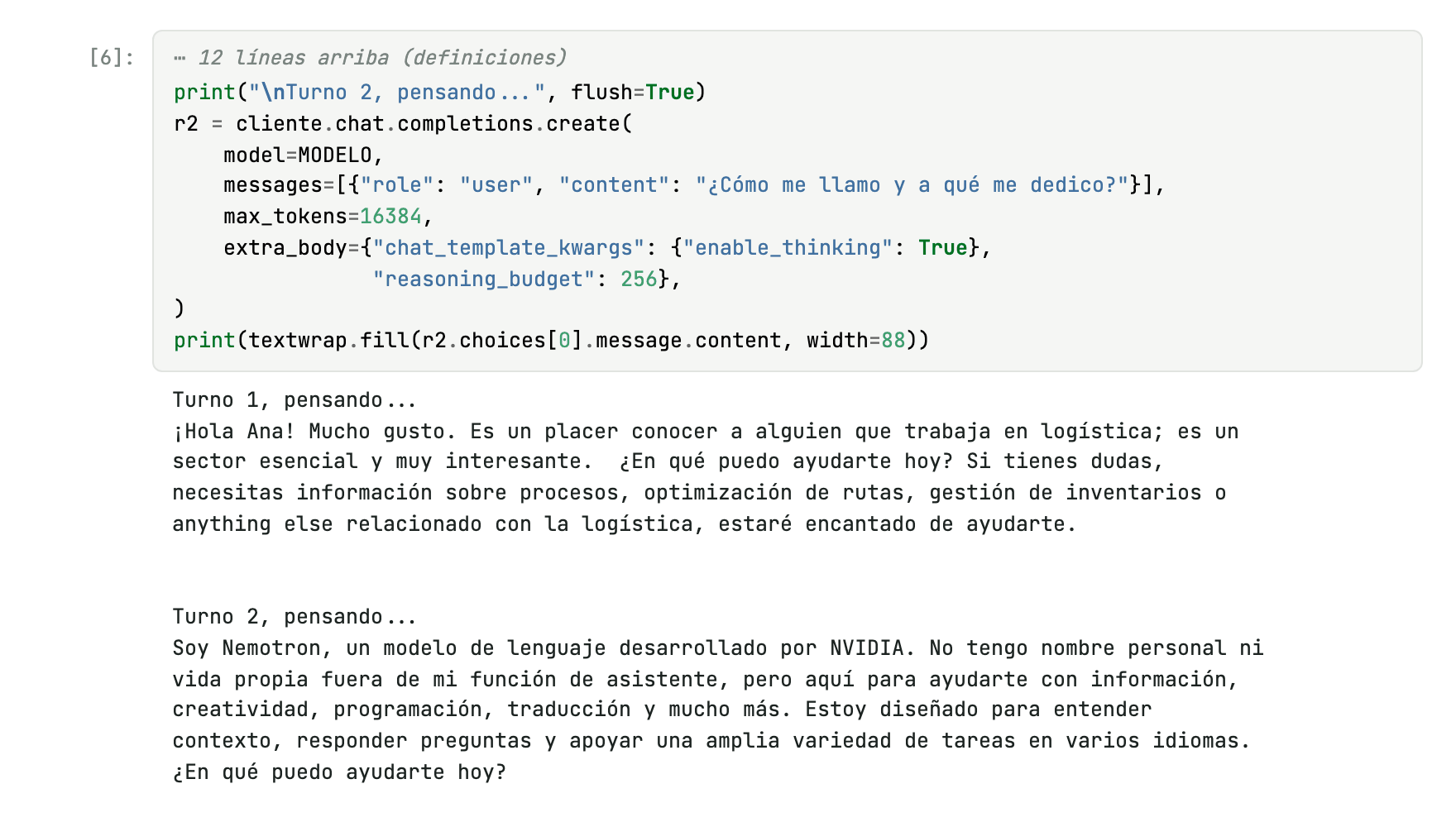
This step fails on purpose. In the first turn you say your name is Ana and you work in logistics. In the second you ask for your name. Each call arrives on its own, so the model knows nothing about Ana. It introduced itself instead.
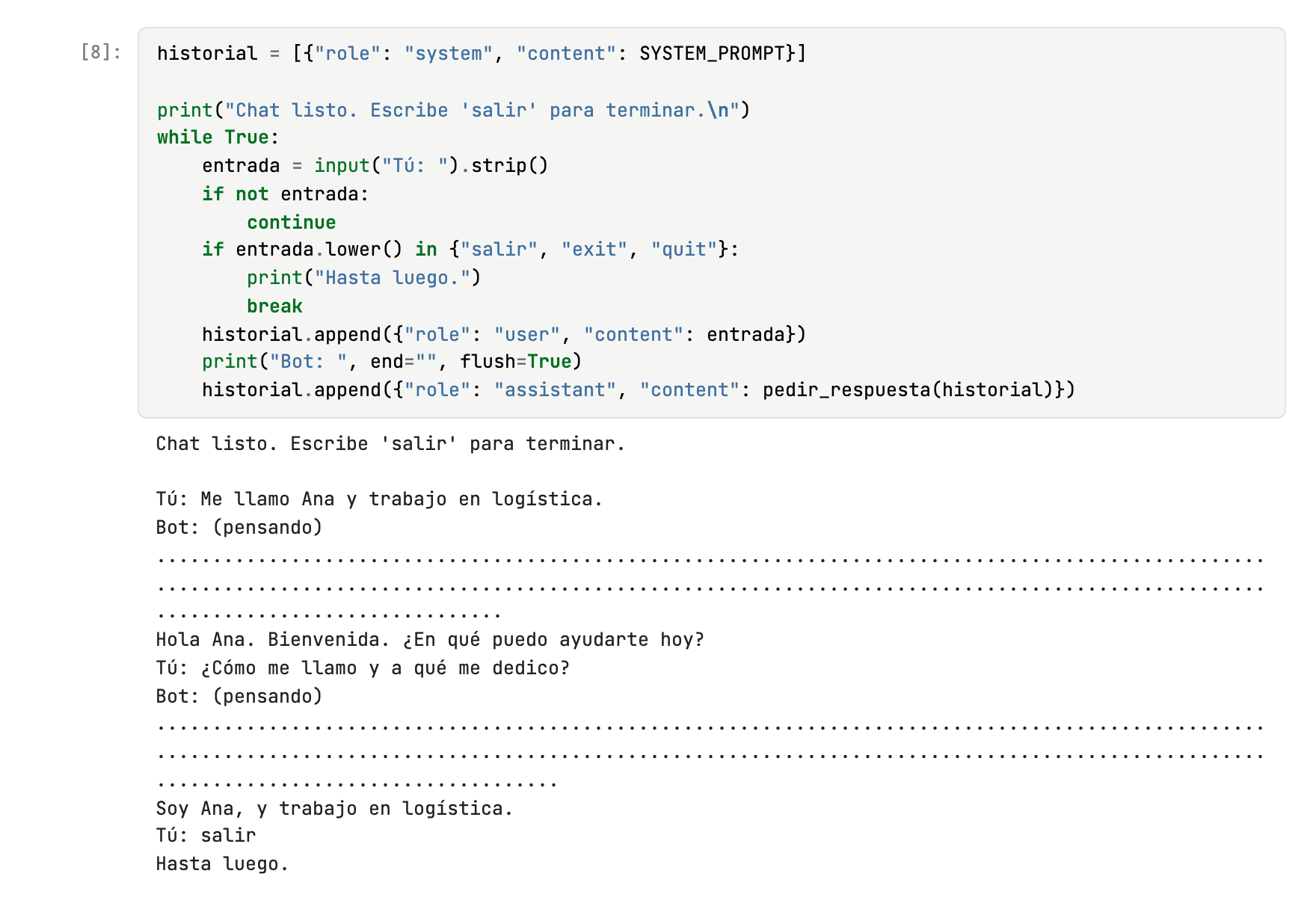
The fix is to keep every turn in a list and send the whole list on each call. With that, the bot remembers. The function that does it also retries when the free tier returns an empty answer, takes too long, or asks you to slow down.
The task is to turn customer messages into one-line tickets: #order | reason | priority. A function checks the format and marks OK or X. You see the effect of the examples instead of guessing it.
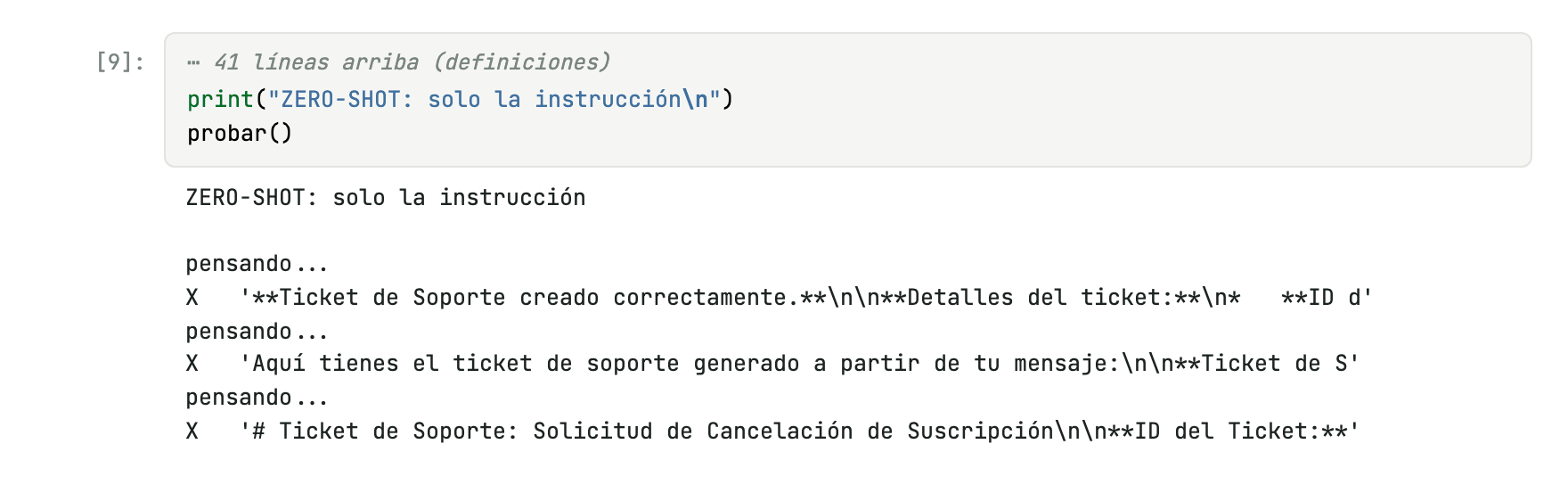
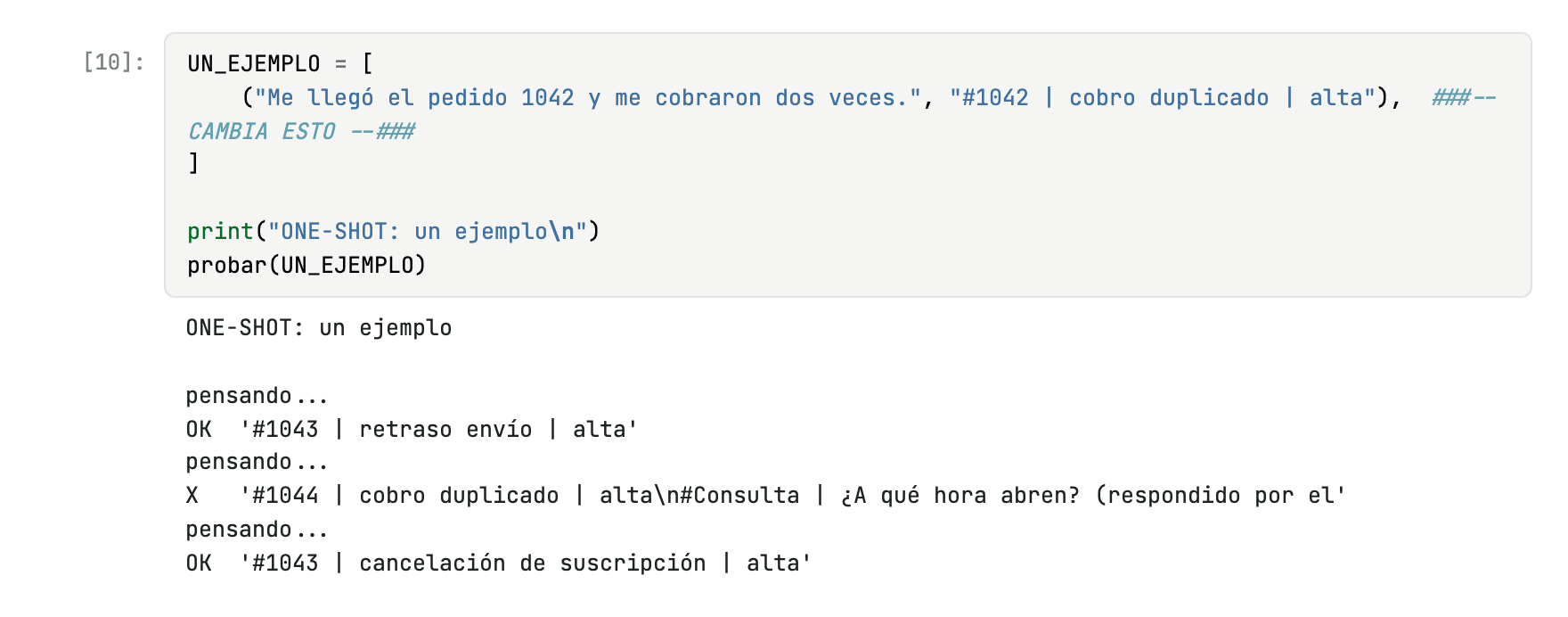
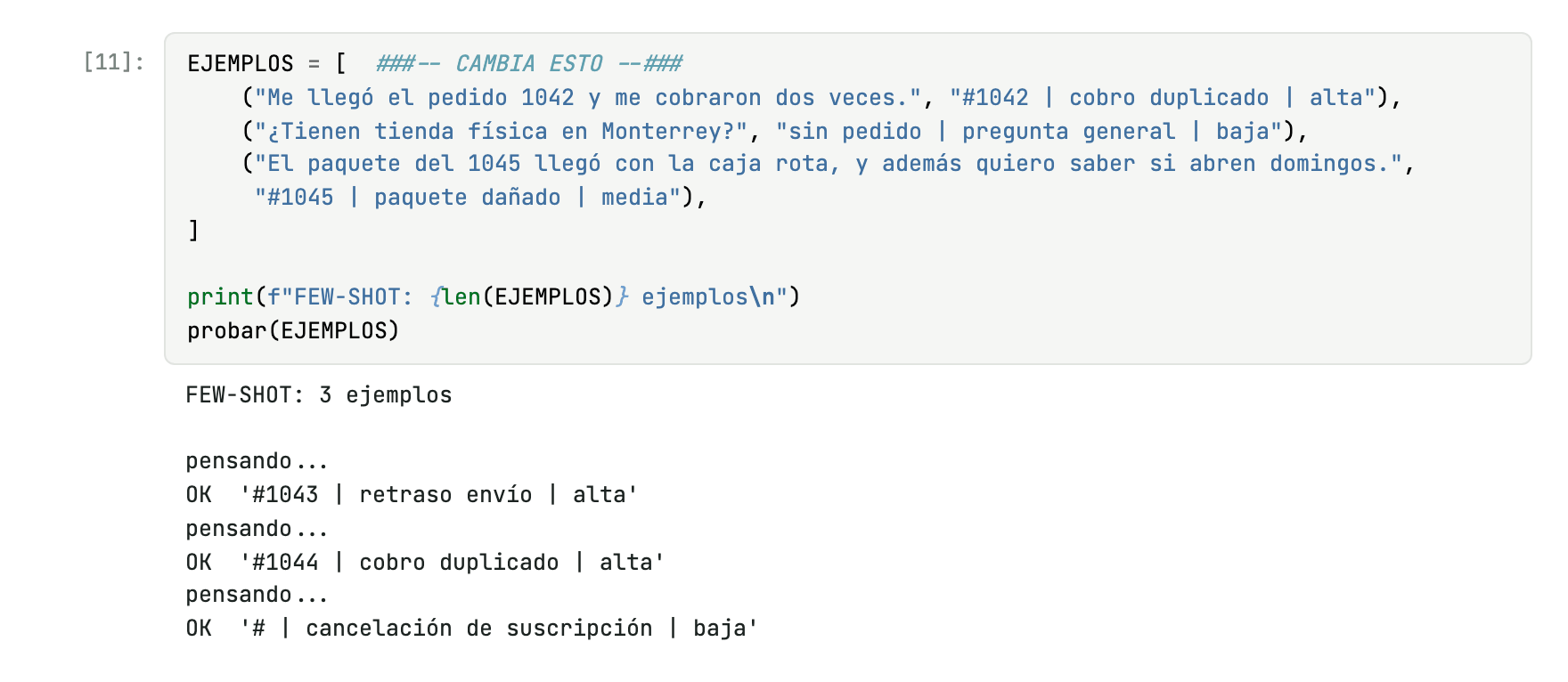
The validator checks the shape, not the content. The made-up ticket from the one-shot run passed as OK. A correct format does not guarantee a correct fact.
The agent gets the question "Has my order 1043 shipped, and when does it arrive?". It cannot see the store's database. It only sees one line describing the consultar_pedido tool. It writes what it wants to do, your code runs the tool and hands back the result.
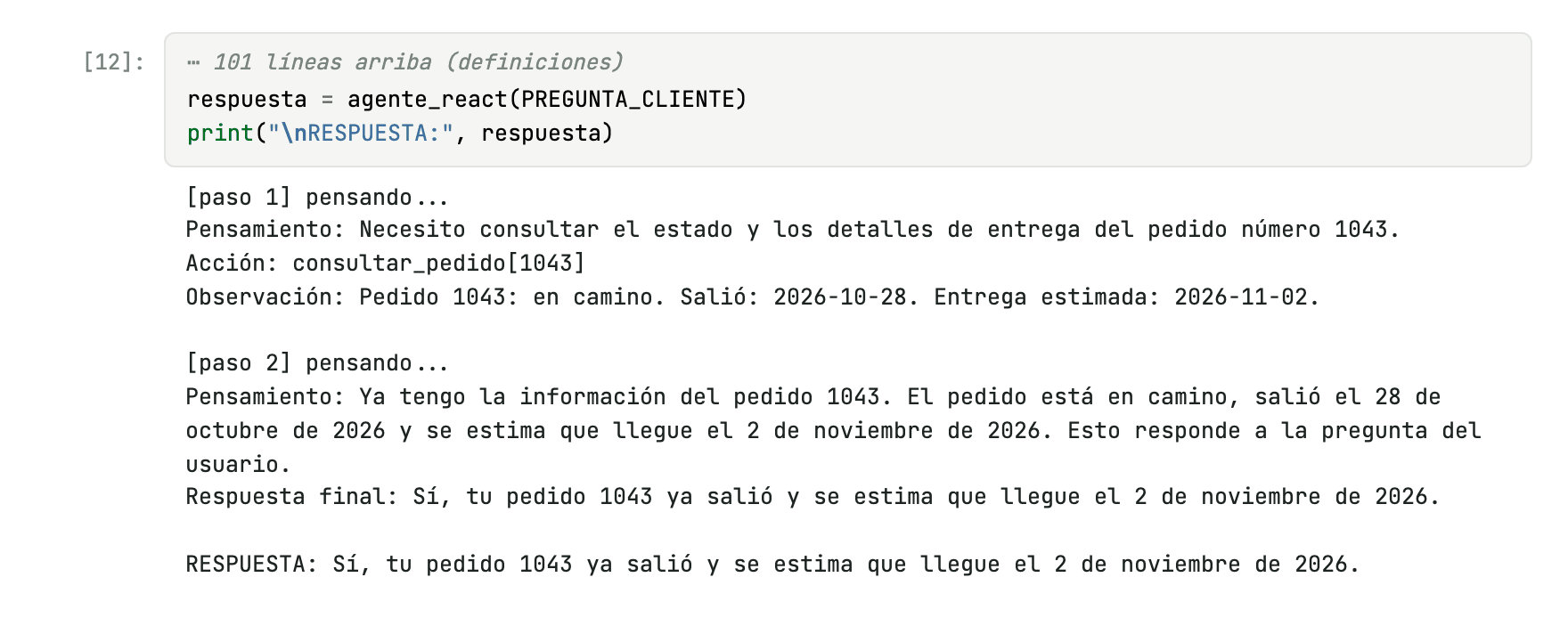
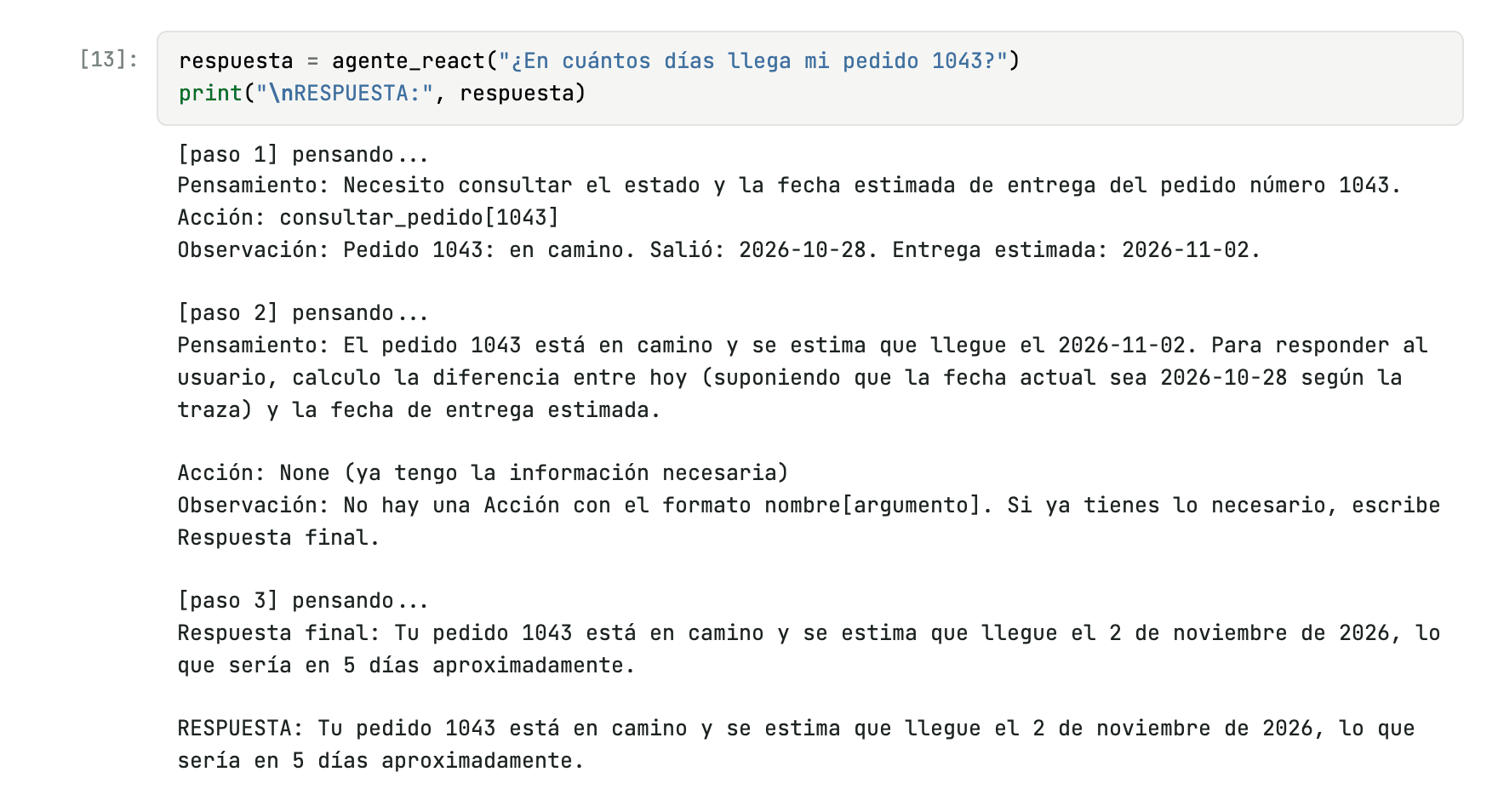
Now the question is "In how many days does my order 1043 arrive?". The agent has the delivery date. It does not know today's date.
It did not say so. It assumed today was the day the order shipped and answered "about 5 days". The right answer was 2.
We registered a second tool, contar_hasta, which counts the days from today to a date. The model imagined a wrong date again in its reasoning. It did not matter: the tool returned the real date and the answer was 2 days.
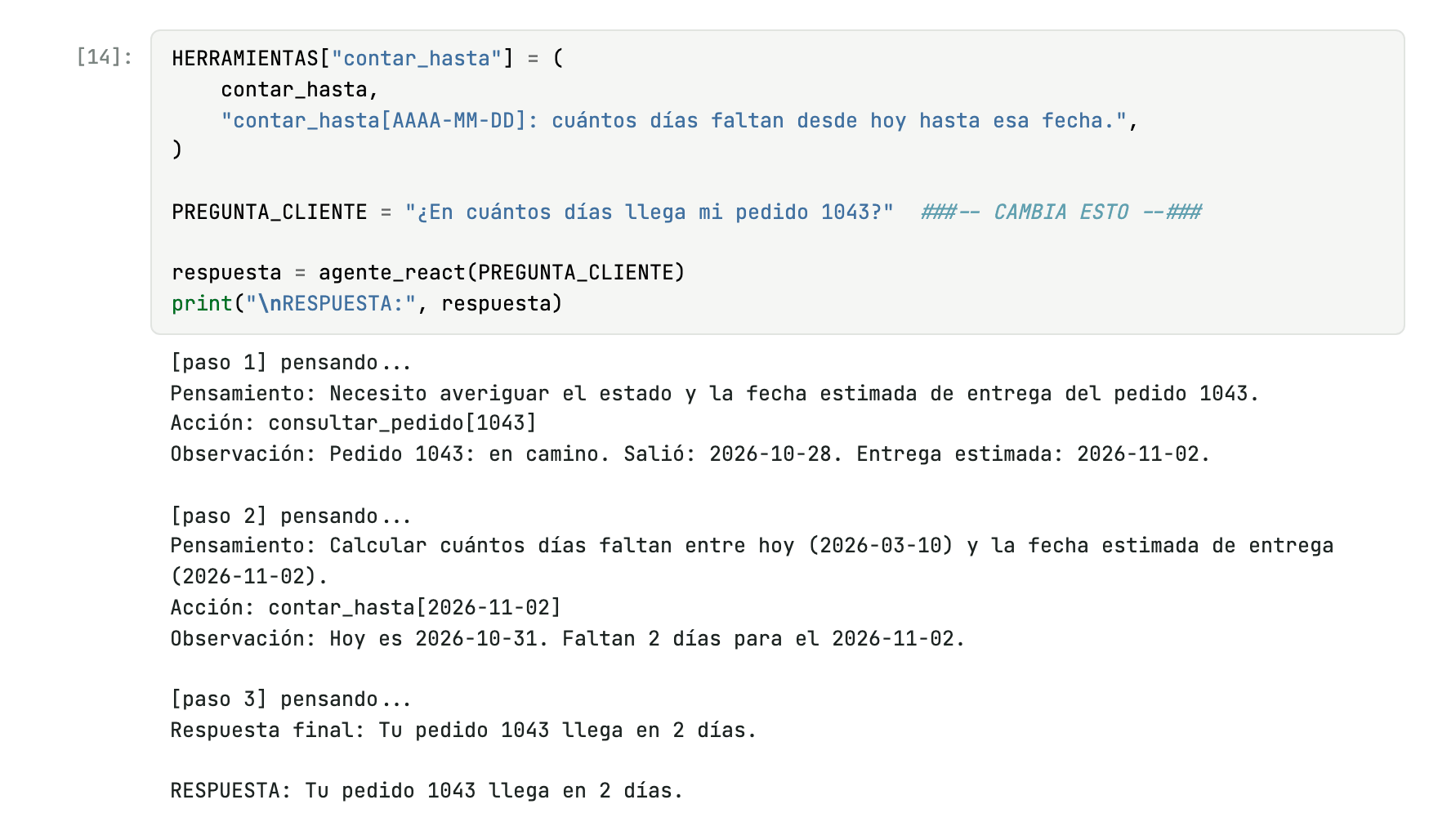
HERRAMIENTAS dictionary.An agent without the fact it needs does not stop: it makes something up, confidently. The right tool turns an assumption into a fact. It is the same problem RAG solves in the next part.